ChatGPT traffic showing as direct? Here's why
A ChatGPT bug stripped its tracking tag from October 8 to 15, so visits landed in Direct. How to check your analytics and track AI traffic properly.

If your analytics showed ChatGPT referrals falling in the second week of October 2026 while Direct traffic rose on the same pages, you didn't lose your AI traffic. You lost the label on it. A bug in ChatGPT stripped the tag that tells analytics a visit came from ChatGPT, so for about a week those visits were filed as Direct.
Here's what happened, how to check your own numbers, and how to set up your reports so the next change like this doesn't fool you.
What happened to ChatGPT's tracking tag
When ChatGPT links to a website, it normally adds utm_source=chatgpt.com to the address. Analytics tools read that tag, along with the referrer the browser sends, and credit the visit to ChatGPT.
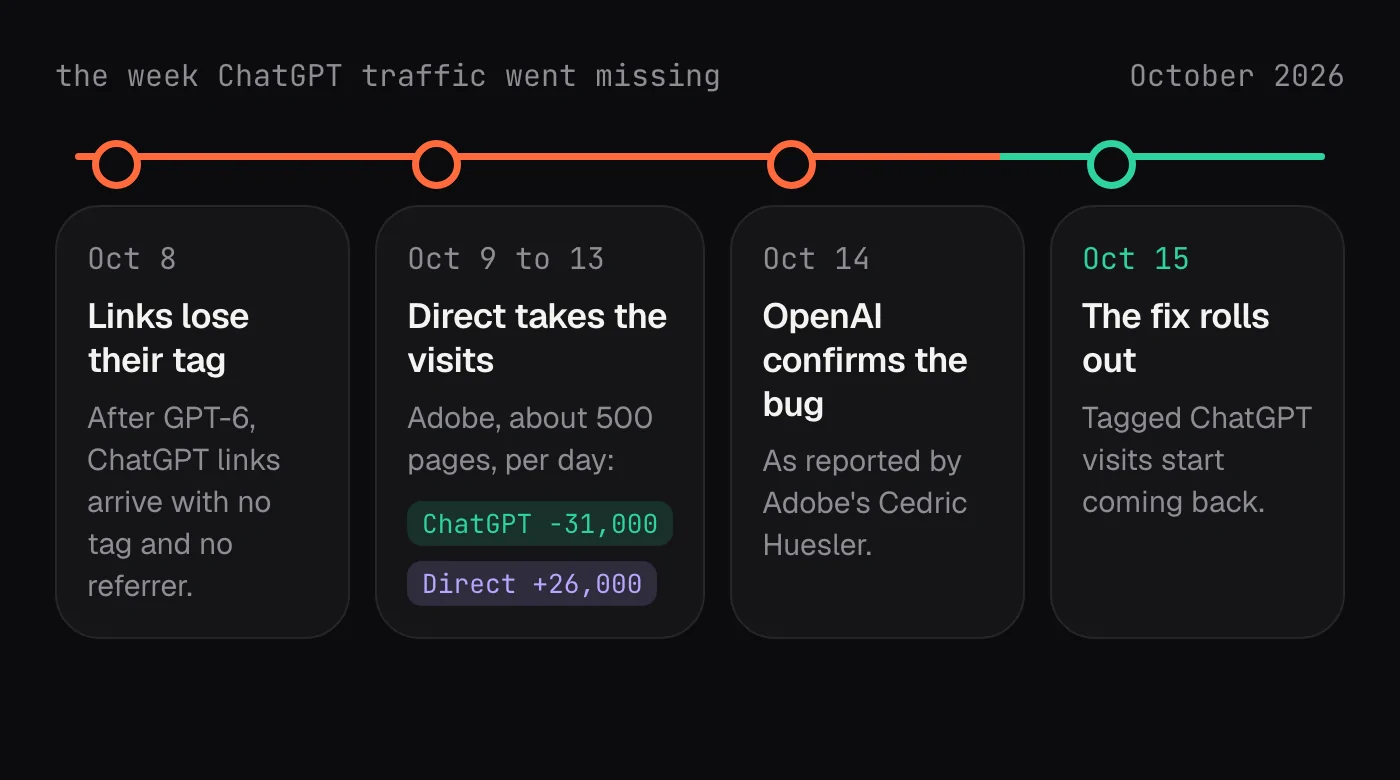
From October 8, after GPT-6 arrived, links in ChatGPT lost both the tag and the referrer, according to Cedric Huesler at Adobe. With no source attached, analytics put those visits in Direct, the bucket for visits with no identifiable origin.
Adobe measured the effect on about 500 pages where ChatGPT normally drove at least 5% of visits. From October 9 to 13, in sampled data, ChatGPT visits to those pages fell by 31,000 a day while Direct visits rose by 26,000.
It was a bug. Huesler later wrote that OpenAI confirmed it on October 14 and that a fix began rolling out early on October 15. OpenAI's release notes didn't mention it.
GPT-6 also changed what ChatGPT links to
The bug wasn't the only change. Tomek Rudzki of Peec AI, an AI search analytics company, ran the same million prompts through ChatGPT before and after GPT-6. In his data, ChatGPT put a direct link to a website in 42% of answers, up from 8 to 10% before. And 54% of those links pointed to a homepage, not a specific page.
Two things follow from that. First, a rise in ChatGPT visits after October 8 may come from the model linking more, not from anything a site did. Second, a lot of ChatGPT visitors now arrive on your homepage, which may not be the page that answers their question.
How to check your own analytics
You don't need special tools. Twenty minutes with your analytics is enough.
- Pick the pages that usually get ChatGPT visits. In your analytics, filter sessions by source
chatgpt.comfor September and note the top landing pages. - Compare two weeks for those pages: the week before October 8, and October 8 to 14. Look at ChatGPT sessions and Direct sessions side by side, page by page.
- If ChatGPT fell and Direct rose by a similar amount on the same pages, that's the bug. Add an annotation to your reports for October 8 to 15 so nobody reads it as a real drop later.
- Check the homepage separately. More ChatGPT links point there now, and depending on the fix, some of those visits may still arrive without a tag.
- Don't rewrite pages or move budget because of that week. Wait for at least two clean weeks after October 15 before judging anything.
One thing you can't do is fix the old data. Visits recorded as Direct during the bug stay Direct in your history. The annotation is the fix.
Make AI traffic visible for good
The bug was temporary. The lesson isn't: AI assistants are a traffic source your reports should treat on purpose, not leave mixed in with Referral or Direct.
Give AI assistants their own channel
Most analytics tools let you create a custom channel group. Add a channel called AI assistants, matched on source with a pattern like this, before the default Referral channel:
chatgpt\.com|openai\.com|perplexity\.ai|gemini\.google\.com|copilot\.microsoft\.com|claude\.ai
Now AI visits show up as one line you can watch, instead of a dozen small referrers nobody notices.
In Google Analytics 4, it takes a few minutes:
- Open Admin, then Channel groups under Data display.
- Create a new channel group, starting from a copy of the default one, so your other channels stay as they are.
- Add a new channel named AI assistants, with the condition that the session source matches the pattern above.
- Move AI assistants above Referral in the list. Channels are matched in order, so if Referral comes first it catches these visits before your new rule sees them.
- Save, then pick your new group as the primary channel group, or choose it in reports where you want to see AI traffic on its own.
Other tools work the same way under different names. Look for custom channels, source groupings or traffic rules.
Tell the people who read your reports
If a manager or a client saw the October dip, a two-line note saves a long meeting: ChatGPT visits were misfiled as Direct from October 8 to 15 because of a ChatGPT bug that OpenAI confirmed and fixed. Show ChatGPT and Direct side by side on the affected pages: when one falls as the other rises by a similar amount, the story explains itself.
Read your server logs
Your web server sees things analytics can't. OpenAI's crawlers identify themselves: OAI-SearchBot fetches pages for ChatGPT search, and ChatGPT-User fetches a page when a person asks ChatGPT about it. Spikes in those requests show which pages ChatGPT is reading, even on days the tag goes missing.
Make your homepage work as a landing page
If more than half of ChatGPT's links go to homepages, the homepage has to do the job a landing page used to do. In the first screen, it should say what you do, who it's for and where to go next, with links to the pages people most often want.
Separate being named from being clicked
Clicks only tell part of the story. Many people read an AI answer and never click. Whether ChatGPT names your business at all, and whether it names a competitor instead, matters as much as the visits that follow.
How QuQi helps
That last point is what QuQi's AI Visibility teammate is for. Every week it asks ChatGPT, Perplexity, Gemini and Google's AI Overview the questions your buyers ask, and records who appears in each answer. It doesn't depend on tags or referrers, so a tracking bug like this one doesn't blind it.
When it finds a question where a competitor is named instead of you, that gap becomes a brief for the Copywriter, who writes the article that answers it. For the bigger picture on AI search, read our guide to GEO.
Questions people ask
Why does my ChatGPT traffic show as Direct?
Between October 8 and 15, 2026, ChatGPT's links lost the utm_source=chatgpt.com tag and the referrer because of a bug, so analytics couldn't tell where the visits came from and counted them as Direct. OpenAI confirmed the bug on October 14 and began rolling out a fix the next day.
Is my ChatGPT traffic back now?
Tagged ChatGPT visits should return as the fix rolls out. Compare the weeks after October 15 with September to be sure, and keep an eye on Direct visits to your homepage.
Can I recover the visits counted as Direct?
No. Analytics doesn't reprocess old visits, so they stay in Direct. Add an annotation for October 8 to 15 so the dip isn't misread later.
What does utm_source=chatgpt.com mean?
It's a tag ChatGPT adds to links so the site receiving the visit can see it came from ChatGPT. Your analytics reads it as the visit's source.